 UAE
 KSA
VAT & E-Invoicing
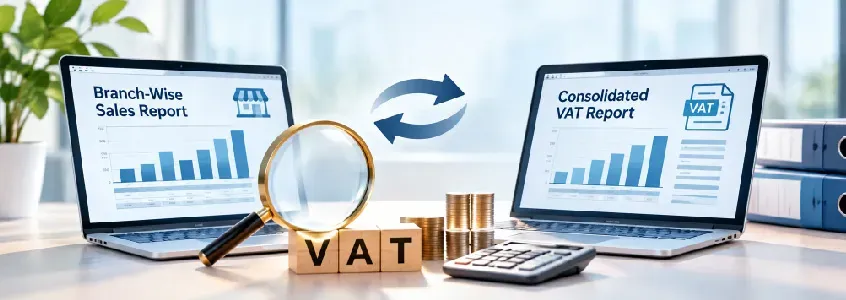
Why Do Branch-Wise Sales Reports Differ from Consolidated VAT Reports?
November 21, 2026
Introducing QuickDice ERP - The Premier Accounting Solution for UAE Businesses with Exceptional Results!
How to Manage Manpower Timesheets Without Errors or Manual Data Entry

Table of Contents
Managing employee working hours accurately is essential for businesses that depend on large or distributed workforces. The manual timesheet systems can be associated with various problems such as wrong attendance time, absence of work hours, arithmetical errors, late approvals, and payroll errors. To Manage Manpower Timesheets Without Errors and minimize the number of repetitive administration processes as well as enhance visibility of the workforce, businesses require trusted digital processes.
The adoption of Manpower Timesheet Software assists organisations in automating the process of tracking of their attendance, calculation of working hours and approvals. Under the appropriate digital strategy, companies can be able to streamline workforce management, enhance their operational effectiveness and keep reliable records of their employees. Quickdice ae is also designed to help businesses enhance the management of their workforce by digitalizing it.
The manual preparation of timesheets means that employees and managers have to input, revise and update the information on working hours over and over again. Automation reduces these administrative responsibilities by capturing attendance digitally, saving time and allowing HR teams to focus on workforce planning.
Automated systems use uniform guidelines in taking attendance, working hours and overtime. This minimizes mistakes related to typing wrongly, making duplicate entries, and information being left out as it assists managers to have reliable records within departments and where the project is located.
Online attendance system provides companies with a better understanding of the presence of employees, their working hours, and the shifts. Employees take attendance in an approved way and managers review updated data, minimize conflicts and organize cross-location teams in a consistent manner.
Conventional approval processes are based on printed documents, email, and follow-ups. The automated workflows deliver timesheets to the supervisors, remind them of submissions pending, and minimize delays, so that verified information on working hours is timely and consistent across teams and to payroll staff.
The correct time sheet data will give a basis to reliable payroll calculations. Approved hours, overtime, and attendance information are automatically added to payroll systems to assist teams in reducing error in payments, redundant corrections, and executing salaries in an efficient and reliable manner.
Implement automated attendance systems and time working in and out with digital check-ins and check-outs of employees. To Manage Manpower Timesheets Without Errors set attendance rules, shift schedules and employee identification methods uniformly between departments and project locations.
Select an online system that captures the attendance of the employees, working hours, overtime and leave at one point. Businesses can Manage Manpower Timesheets Without Errors by replacing spreadsheets with automated calculations, validation rules, accessible records, and reporting features effectively.
Get employees easy check in and check out with authorised tools or mobile applications. Attendance updates in real-time will assist the supervisors with tracking the availability, missing entries, and responding to any attendance problems within a department or project location.
Set the system to compute the regular working hours, overtime, breaks and duration of shift in line with the company policies. Automated calculations minimize errors in using manual formulas and different schedules, which aid in maintaining records and are reliable in preparing payroll.
Develop approval processes that automatically send in received timesheets to managers. Allocate by department, project or reporting group. Automated reminders on approvals pending, and permissions editing hold accountability and ensure verification is organised prior to payroll.
Link the workforce timesheet records with the payroll system of the organisation to automatically transfer the information of approved attendance and working-hours. Integration saves duplication of data between departments and eliminates inconsistencies prior to calculation of salaries and processing of salaries.
Review attendance records regularly to determine any missing check-ins, duplicate records, odd working hours and inaccurate records of overtime. Manage Manpower Timesheets Without Errors by alerting and exception reports pointing out anomalies prior to approval and final salary calculation.
Manage the attendance of store employees, shift schedules, approved timesheets, overtime entries and workforce in a central database. A single database allows authorised managers to have a consistent access, which assists in reporting, comparisons, workforce planning, and organised record management to review.
Establish explicit policies on how the staff is supposed to document working hours, breaks, overtime and attendance changes. Standardised procedures ensure consistent practices, help managers resolve discrepancies, and reduce misunderstandings between employees, supervisors, and payroll departments across departments.
Promote the use of employees taking note of attendance as soon as they report and leave work. Regular recording eliminates lost entries and false estimations of the number of hours worked per day. Prove authorised information about correcting real attendance errors on a daily basis and communicate this information promptly.
There should be certain submission dates which are based on weekly or monthly payrolls. Reminds: Communicate to employees and supervisors dates. Deadlines allow managers the time to revise records, seek corrections, and accept submissions and then process payroll on a routine basis.
delegate approval duties to supervisors and project managers and the HR staff as per the organisational need. Employees should be aware of who approves timesheets and who corrects. Clear roles ensure there is no confusion, there is minimal handovers and accountability is made clear in the process.
Periodically reviews time sheet to determine the repetitive errors, uneven attendance and the miscalculation. Cross tabulate entries with approved attendance records and schedules. Regular audits show weak areas, areas of training, and possibilities of enhancing the reliability of records.
Offer real-life training on attendance recording, submissions of timesheets, approval and correction requests. Workers ought to be familiar with online functions and managers with reports and inconsistencies. Training enhances the adoption and minimizes errors associated with unfamiliarity at all times.
Manual timesheets require employees to fill in the data on spreadsheets or paper records with the data on attendance and working hours. The automated systems record and store information digitally, eliminating repetitive entries and offer quicker access to records and identifying missing information.
The manual processes can be subjected to typing errors, wrong formulas, repeated entries and arbitrary calculations. Automated systems use pre-defined rules and validation capabilities, enhancing consistency, minimizing administration and assisting the managers with operational duties and approvals.
Manual time sheets make HR teams to gather, verify and transfer working-hour data prior to payroll computations. Automated platforms interface approved records with payroll systems, which saves on handling, streamlines approvals, and assists teams to handle salaries effectively.
Automated timesheet management is appropriate in businesses with many employees, departments, shifts or project location. It provides better visibility, consistency, as well as speed in approvals. Small teams may be serviced by manual means, but today automation helps to expand and be efficient.
Assess staffing levels, work schedules, rotations, project sites and attendance procedures. Determine issues, such as late submissions and payroll. Knowing requirements assists businesses to pick a solution that will meet the needs without introducing unwarranted complexity and cost.
Find software that will automate the process of recording attendance, calculation of working hours, overtime, and approval processes. Integration with existing HR, payroll and accounting systems. Good links minimize redundant information, enhance inter-departmental communication, and generate interconnected processes at all times.
Choose a platform that can support the increasing number of workforce, new departments, and evolving needs of operation. Features should be navigated without a lot of technical knowledge by employees and managers. The interface is easy to use, inspiring frequent use, and the functionality is scalable, which allows it to expand reliably.
Important organisational information is found in employee attendance and working-hour records. Assess user permissions, data protection, backup and reporting capabilities. Reports assist managers to analyze attendance, overtime cost, missing entries, and workforce productivity safely and efficiently.
Compare subscription costs and implementation costs, support available and maintenance needs. Determine the presence of training and software updates. Consider implementation plans and technical support to be able to provide value to the platform without interfering with the workforce processes.
Managing employee attendance and working hours accurately requires consistent procedures, dependable records, and effective technology. The automated tracking, digital approvals, payroll integration and regular audits assist business in minimizing administrative errors and enhancing visibility of the workforce. Organisations that Manage Manpower Timesheets Without Errors Can enhance reliability of payroll, streamline reporting and develop smoother timesheet management procedures throughout their operations.
Selecting an appropriate digital solution can also help the workforce management in the long term, eliminating repetitive activities and enhancing information accessibility. Automation, usability by the employees and data security should be the primary consideration by businesses when choosing software. Using the appropriate strategy organisations are able to keep the right timesheets, enhance accountability and have a better management of the workforce as the operations grow.
Digital software can help businesses to automatically track attendance and calculate working hours and timesheets.
It has rules of validation and automatic calculations to avoid missed entries and wrong records.
It transmits time and attendance and overtime data that have been verified into payroll systems.
Organisations may introduce the use of digital tracking, uniformity of policies, staff training, and frequent audits.
Yes, it facilitates big teams with centralised records, automatic approvals and correct tracking of attendance.