Introducing QuickDice ERP - The Premier Accounting Solution for UAE Businesses with Exceptional Results!
Managing all aspects of your projects — from sales and procurement to operations — requires a system that gives you a holistic view. QuickDice's Project Control Module is seamlessly integrated with Finance, VAT E-Invoice, HR and Manpower Rental, Equipment Rental, and Inventory modules to provide you with a complete overview of each project from a single platform.
If you are still managing your projects manually or through disconnected tools, now is the time to move to a system built specifically for the UAE market.
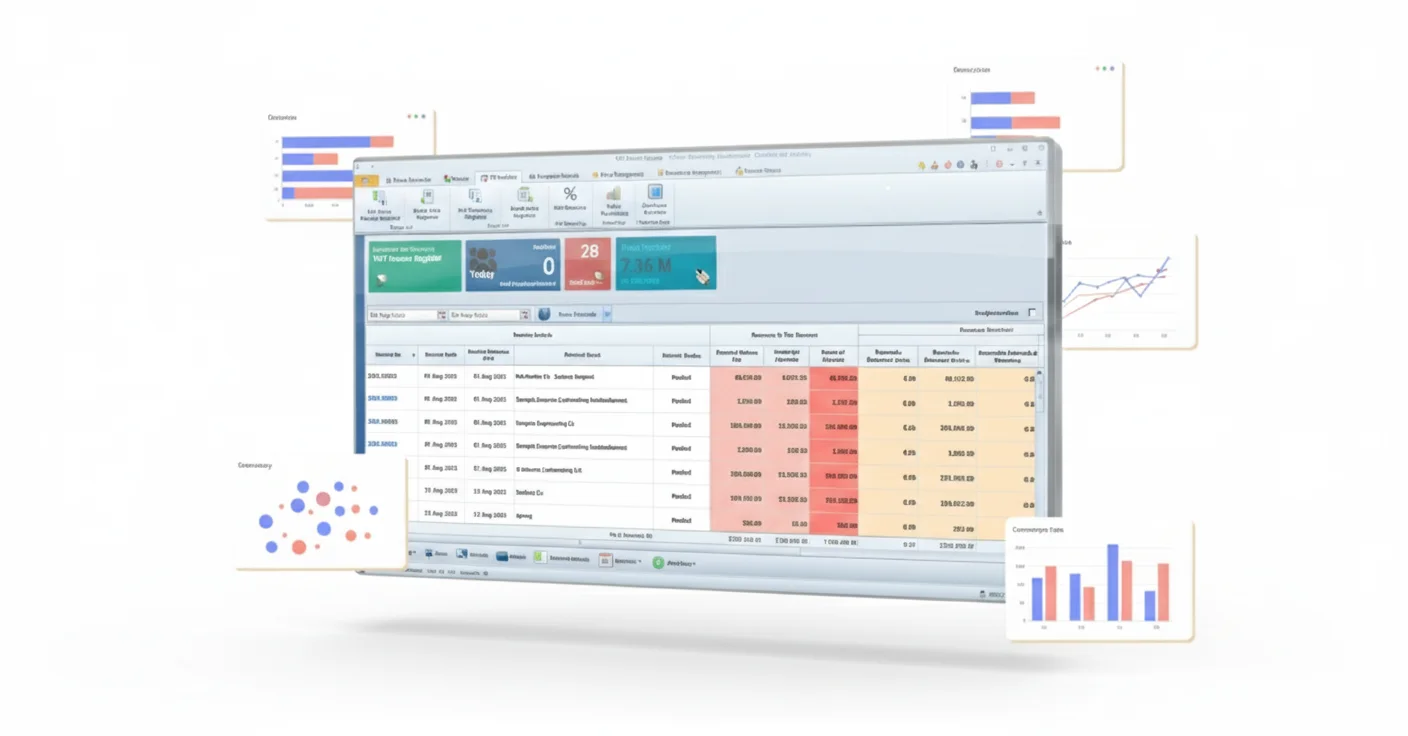
The QuickDice Project Management Software is a critical component of the wider QuickDice ERP suite, intended to revolutionise commercial project management and control methods. This module acts as the cornerstone, providing project managers, team leaders, and stakeholders with the information and resources needed to optimise project operations and ensure successful project completion.
Businesses comparing Project Management ERP in UAE solutions usually need more than task lists and deadlines. They need project costs, resources, procurement, supplier expenses, client invoices and management reports connected with finance so project performance can be reviewed from one consistent source.
Its complete feature set includes scheduling, budget and cost tracking, risk assessment and mitigation, real-time project monitoring, collaboration facilitation, resource allocation management, and comprehensive reporting and analytics.
These features, when combined, enable organisations to effectively manage resources, closely monitor project progress, track and control expenses, mitigate risks proactively, and create cohesive cooperation across every project.
From budget and cost tracking to real-time project monitoring and connected invoicing workflows, businesses can manage project operations with stronger visibility into costs, resources and financial performance.
Learn how to prepareQuickDice Project Control Module is not a standalone project tracker. It is a purpose-built project management ERP that manages the full project lifecycle — integrated with Finance, VAT E-Invoice, HR, Equipment Rental, and Inventory — in a way that is comprehensive, automated, and easy to operate.
Enjoy full integration with Finance, VAT E-Invoice, HR and Manpower Rental, Equipment Rental, and Inventory modules. Get a 360-degree view of each project, making informed decisions easier than ever.
Access comprehensive project reports that include project details and attachments, funds requested and utilised, materials, manpower, and equipment allocated and used, supplier bills and expense bills, and client invoice details — all in one place.
Each project is stored in a single file, providing a centralised repository of all project-related information. No switching between systems or searching across multiple platforms — everything you need for each project is in one place.
Generate management reports to track project progress and financial performance. Present accurate, up-to-date project data to stakeholders and management with reports that are ready when you need them.
Gain deep insights into each project, facilitating better decision-making. Real-time project monitoring, risk assessment and mitigation, and comprehensive analytics give project managers and stakeholders the information they need to act decisively.
Connect each project to a specific cost center in finance for accurate profit and loss reporting. Know exactly where every dirham is being spent and how each project is performing financially at any point in time.
Track funds requested and utilised against each project in real time. Monitor materials, manpower, and equipment costs alongside supplier bills and expense bills — all mapped to the correct project and cost center automatically.
Manage the allocation of materials, manpower, and equipment across projects with full visibility into what has been allocated and what has been used. Ensure resources are deployed efficiently and project timelines are met.
Access user-friendly reporting screens with features like drag-and-drop column management, adding/removing columns, filtering, and searching with various conditions (e.g., equal to, greater than). Save customised report designs for quick access, ensuring data is presented according to your preferences.
Project profitability becomes difficult to understand when budgets, resource usage, supplier bills, expenses and client invoices are reviewed separately. QuickDice connects these records with the relevant project and cost centre so project and finance teams can review the financial picture from one project file.
Review funds requested and utilised alongside the materials, manpower, equipment and other expenses recorded against the project.
Connect the project with its finance cost centre so related costs and project financial reporting remain easier to review.
Track materials, manpower and equipment allocated and used so operational resource information stays connected with project reporting.
Bring project-related supplier bills, expense bills and client invoice details into the same project view for stronger financial visibility.
QuickDice supports project cost review through the existing project file, resource records, supplier and expense bills, client invoice details, cost-centre mapping and management reports. Final cost-control procedures should be configured around the way your business approves budgets, records expenses and reviews project profitability.
Project tracking is more useful when progress information is reviewed together with resource usage and project financials. QuickDice keeps project details, attachments, resources, expenses, invoices and reports connected so managers and stakeholders can monitor the wider project picture.
The existing project-control workflow supports scheduling, real-time project monitoring, resource allocation, risk assessment and reporting. The exact tracking structure should be configured around the stages, responsibilities and reporting requirements used by your business.
Keep project details, attachments and related information together instead of searching across separate folders.
Use project and management reports to review project status and financial performance.
Review materials, manpower and equipment allocated and used across the project lifecycle.
Use current project information and analytics to support risk review and management decisions.
Project teams make better decisions when project details, costs, resources, procurement, supplier bills, client invoices and management reports are connected instead of being maintained across separate spreadsheets and applications.
QuickDice brings these project records into a single ERP environment so project and finance teams can review operational activity and financial performance from the same project file.
| Feature | Manual / Disconnected Process | QuickDice Project Control |
|---|---|---|
| Project Cost Visibility | Costs compiled from separate files and systems | ✓ Project costs connected to the project file and finance |
| Resources & Usage | Materials, manpower and equipment tracked separately | ✓ Allocated and used resources visible by project |
| Project Financial Records | Supplier bills, expenses and client invoices reviewed separately | ✓ Related financial records available within the project view |
| Cost Centre & P&L Mapping | Manual reconciliation between project and accounts | ✓ Project cost-centre connection for financial reporting |
| Single Project File | Project information scattered across folders and applications | ✓ Centralised project details, attachments and reports |
| Management Reporting | Reports assembled from multiple sources | ✓ Connected project and financial reporting |
The right system should match the way your business structures projects, records costs, allocates resources, manages project-related procurement and produces financial and management reports. A useful demonstration should follow a real project from setup through costs, resources, invoices and performance review.
A practical project-management setup should give project managers operational visibility while keeping project financial records connected with finance. The scope should be based on the functions your teams genuinely use rather than adding unnecessary complexity.
Review project files, stages, attachments, responsibilities and cost-centre requirements.
Confirm how requested funds, utilised costs, supplier bills and expenses are recorded and reviewed.
Check how materials, manpower and equipment allocation and usage are connected with each project.
Review how client invoice details and project-related financial records connect with the project file.
Confirm the progress, management and financial reports required by project teams and stakeholders.
Identify active projects, opening costs, resources, documents and systems that need to move into the new workflow.
Contractors need to connect project costs with the operational records that create them. The QuickDice project-control workflow brings project files, cost centres, materials, manpower, equipment, supplier bills, expenses, client invoices and reports into one connected environment.
Businesses evaluating Construction ERP or Construction ERP Software in UAE should confirm any construction-specific requirements beyond the features shown on this page—such as the exact budgeting structure, approval process, billing method and project-reporting format—during the requirements review and live demonstration.
This module is not only for large corporations with dedicated project management teams. It is built for businesses of all sizes across every major industry in the UAE that manages projects from sales and procurement through to operations.
Managing project-based operations with full cost tracking, resource allocation, equipment and manpower billing, and VAT invoicing — all mapped to individual project cost centers for accurate P&L reporting.
Tracking materials, manpower, and equipment allocated and used across multiple projects with supplier bills, expense bills, and client invoice details all stored in a single project file.
Managing project-linked procurement, sales, and inventory movements with full integration across Finance, VAT E-Invoice, and Inventory modules for a 360-degree project view.
Tracking funds requested and utilised, resource allocation, and project financial performance with management reports and decision-making support built directly into the system.
Manage multiple simultaneous projects with individual project files, cost-centre mapping, resource visibility, real-time monitoring and portfolio-level reporting from one integrated ERP platform.
Whether you are a small business or a large enterprise, if you manage projects in the UAE, you need a system that gives you a holistic view of every project — costs, resources, invoices, and performance — without you having to piece it together manually.
One of the biggest concerns businesses have when switching project management systems is the learning curve. QuickDice was designed to be used by real people — not just project managers and IT specialists.
Your team can open the project file to review costs, resources, invoices and performance from one connected view. The workflow is designed to make project information easier to access without requiring teams to piece together reports from separate systems. Support can be included as part of the implementation and user setup.
Create a single project file with all details, attachments, and cost center mapping. QuickDice links the project to Finance, VAT E-Invoice, HR, Equipment Rental, and Inventory automatically.
Materials, manpower, and equipment allocated and used are tracked automatically. Supplier bills, expense bills, and client invoices are recorded and reflected in the project file in real time.
Generate comprehensive project and management reports instantly. Access deep insights into each project to facilitate better decision-making and ensure successful project completion.
A project-management implementation should begin with the way projects, cost centres, budgets, resources, expenses and reports are managed today. This allows the new system to support real project operations instead of simply copying disconnected processes.
Map project setup, cost centres, resources, procurement touchpoints, billing records and management reporting needs.
Review active projects, project masters, attachments, opening costs, resources, supplier records and client information.
Set up users, responsibilities, project fields, cost-centre mapping and the reports required by project and finance teams.
Validate project, resource, expense, invoice and reporting workflows before teams move into live use.
Practical answers about project costing, cost control, contractor workflows, resource tracking, finance integration, migration and choosing the right project-management ERP.
It should help the business maintain project information, track costs and resources, connect project-related financial records, review performance and produce reports for project teams, finance and management.
A standalone tracker may focus mainly on tasks and deadlines. A project-management ERP connects project activity with areas such as finance, resources, inventory, equipment, supplier expenses and client invoices where those modules are part of the selected setup.
The existing page includes project cost-centre mapping, funds requested and utilised, resource costs, supplier bills, expense bills, client invoice details and project financial reporting. The exact costing and approval structure should be configured for the business.
Yes. The existing project-control functionality includes visibility into materials, manpower and equipment allocated and used against projects, helping operational and management teams review project resource usage.
The page's current functionality includes supplier bills, expense bills and client invoice details within the wider project reporting view, reducing the need to piece together the project picture from separate files.
QuickDice is positioned for construction and contracting firms that need project files, project cost centres, resource allocation, project-related bills, invoices and reporting. Any additional contractor-specific requirements should be confirmed in the requirements review and demonstration.
The page supports multi-project organisations through individual project files, project cost-centre mapping, resource visibility and management reporting from the wider ERP environment.
Migration can be planned during implementation. The approach depends on the current systems, active projects, documents, project masters, opening costs, resources and the historical information the business wants available after go-live.
The timeline depends on the project structure, number of users and projects, data migration, cost-centre setup, connected modules, workflow configuration, testing and training. These should be reviewed before a go-live date is agreed.
Yes. A useful demonstration should follow a representative project through setup, resource allocation, costs, supplier or expense records, client invoices, project reporting and management review so you can evaluate the system against your actual workflow.
Explore QuickDice's Project Management Software and see how project planning, cost control, resources and reporting can work together in one ERP environment.
QuickDice makes the transition straightforward. The implementation can begin with a review of your current project structure, cost centres, resource records, financial workflows and reporting requirements before the module is configured for your business.
Book a free demo and see exactly how QuickDice handles project management for a business like yours. No pressure. No lengthy sales process. Just a clear look at what the software does and whether it fits.
Tell us about your business and we'll get back to you within a few hours.

 UAE
UAE
 KSA
KSA